Is Grammarly AI humanizer free? Plans compared
Yes, at the basic level. Grammarly's FAQ says: "The AI humanizer tool on this page is free to use and offers basic humanization for your text." What each level includes, according to the humanizer FAQ and the Grammarly plans page, checked 29 October 2026:
| Level | Price (29 October 2026) | Humanizer access | Other AI features |
|---|---|---|---|
| No account | USD 0 | Basic humanization on the web page | Free AI Detector web scan |
| Free account | USD 0 | Humanizer agent, four voices, custom voice, six languages | 100 AI prompts a month |
| Pro | USD 12 a month billed annually (USD 144 a year), or USD 30 monthly | "Full Humanizer experience" | Full-sentence rewrites, tone adjustment, AI and plagiarism detection in the app, 2,000 AI prompts a month |
Grammarly localizes prices, and its page showed a different plan, Plus, in some countries. The humanizer page gives no word or character cap, so if you plan to run long reports through it, paste your longest section in first and see what your account accepts before you build a workflow around it.
My take: the free account is the sweet spot. You get the agent, the voices and the languages for nothing. Pay for Pro only if you also want Grammarly's other Pro features, because the humanizer alone does not justify USD 144 a year.
At a glance
| Field | What Grammarly documents (29 October 2026) |
|---|---|
| Owner | Superhuman (Grammarly's site carries a Superhuman Platform copyright line) |
| What it is | A rewriting tool that makes AI-generated or stiff text sound more natural |
| Free option | Basic humanizer on the web page with no sign-up; Humanizer agent with a free account |
| Voices | Four preset styles, plus a custom voice made from a pasted writing sample |
| Languages | English, Spanish, French, German, Portuguese and Italian |
| Paid plan | Pro: USD 12 a month billed annually, or USD 30 monthly |
| Word allowance | No cap stated for the humanizer |
| Detector | Free AI Detector web tool; the AI Detector agent with highlighting is a Pro feature |
| Stated purpose | "This tool is not intended to bypass AI detectors" |
What is Grammarly's AI humanizer?
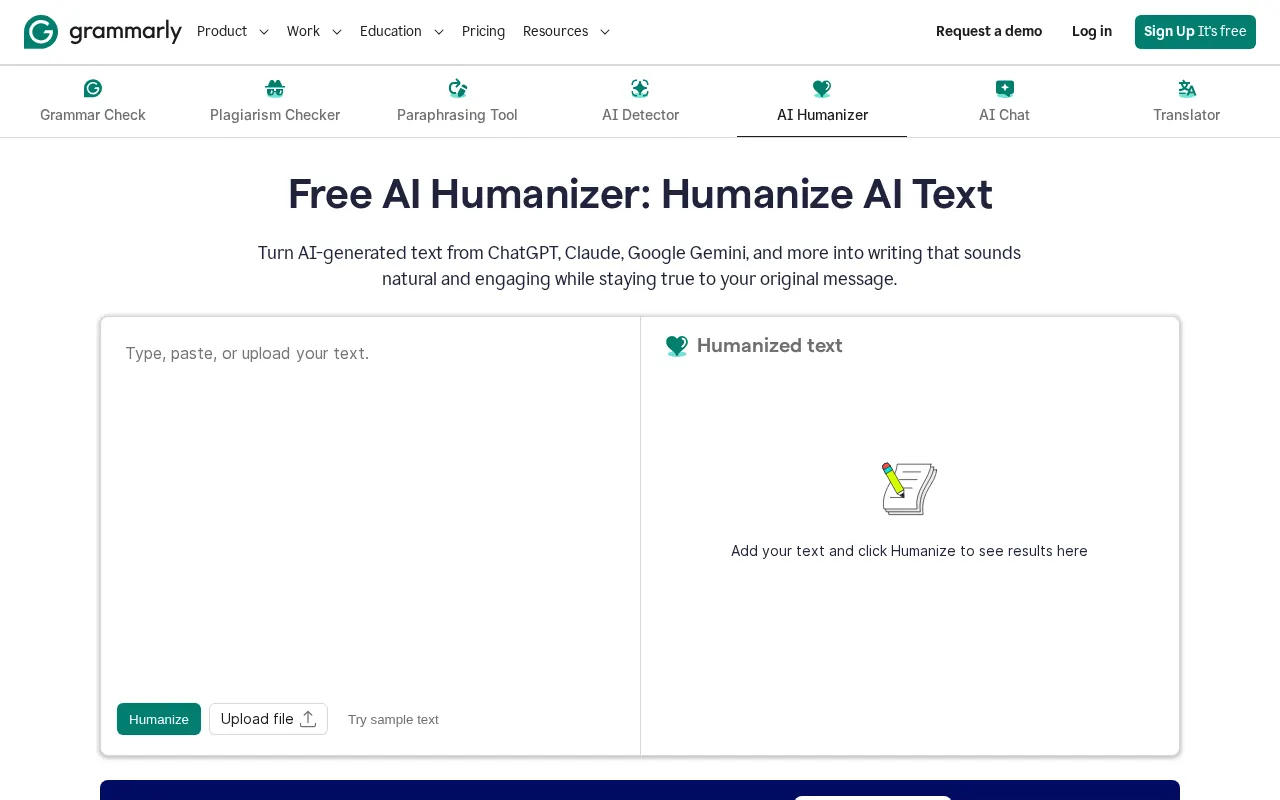
Grammarly's AI humanizer is a rewriting tool for text that sounds machine-made. Grammarly's AI Humanizer page describes it as a way to turn text from ChatGPT, Claude, Gemini and other models into writing that "sounds natural and engaging while staying true to your original message."
There are two layers, and the difference matters more than the marketing suggests:
- The web tool. A paste box on the humanizer page. You add text, click Humanize and get a rewrite. Grammarly calls this "basic humanization." It is fine for a paragraph or an email.
- The Humanizer agent. Available once you sign in to a free Grammarly account. It works inside Grammarly's editor and apps, offers four preset voices and can learn a custom voice from a sample of your writing. This is the version I'd actually use.
Grammarly says the agent was "built by linguists" and that it adapts as AI writing changes. Those are Grammarly's own product descriptions. It sits next to Grammarly's plagiarism checker, citation tools and Authorship, which records how a document was written. That pairing is the real story here: Grammarly is building a transparency toolkit, and the humanizer is one piece of it.
How to use the Grammarly humanizer
Grammarly's FAQ lists three steps for the free web tool:
- Paste your text or upload a document into the box at the top of the humanizer page.
- Click Humanize.
- Review the rephrased text, which Grammarly says removes stiff phrasing while preserving your meaning.
For the agent, sign in to Grammarly, open a document in the editor and choose the Humanizer agent. Then:
- Pick a preset voice. The page shows examples such as an executive voice and an everyday voice.
- Or build your own voice. Paste a sample of your writing, and Grammarly says the agent "learns your style and applies it to future rewrites." I'd give it a few hundred words of something you wrote without AI help, such as an old report or a long email.
- Switch language if you write in one of the five non-English options.
- Read the rewrite against your original before you keep it.
That last step is the one people skip. Any rewriting tool can drop a hedge such as "may," change a number or move a claim away from its citation. My explainer on humanizing versus paraphrasing covers what each kind of tool changes, and the step-by-step guide to humanizing AI text by hand shows the edits I make after any tool runs.
Example (written by me, not tool output):
- Before: "This initiative represents a significant step forward in our ongoing commitment to fostering cross-functional alignment across the organization."
- After: "We need the sales and support teams working from the same customer list. That alone would cut our response time."
The second version is what a good humanizer pass plus your own edit should produce: shorter, concrete and specific to your situation. No tool knows your situation, so the specifics have to come from you.
Does Grammarly humanizer work?
It works as a rewriting tool: the documentation shows a rewrite that keeps your meaning, preset and custom voices, and six languages. Whether it "works" against AI detectors is a different question, and Grammarly answers it directly.
In its FAQ, Grammarly says: "This tool is not intended to bypass AI detectors. Instead, it enhances clarity and coherence." It adds that the goal "shouldn't be to hide" AI use but to make the final text reflect your thinking and voice. I respect that. It is the most honest positioning I've read from any vendor in this category.
Published research explains why no rewriter can promise a detector result anyway:
- Paraphrasing weakens detectors, and detectors adapt. Krishna and colleagues showed that a paraphrase model cut DetectGPT's accuracy from 70.3% to 4.6% at a 1% false positive rate, and proposed retrieval as a defense (2023).
- Detection is fragile in both directions. Sadasivan and colleagues argued in Can AI-Generated Text be Reliably Detected? that light paraphrasing can break many detectors, and that detectors can also be pushed into flagging human text (2023).
- Results vary by detector and text. The RAID benchmark found that detectors were easily fooled by adversarial attacks, sampling changes and unseen models (2024).
So a humanized draft may score one way today and another way after a detector update. Detector vendors now market paraphrase detection, and my look at what GPTZero says it catches covers one of them.
Schools set their own rules on AI tools. Before you use any humanizer on assessed work, read my guide on whether using an AI humanizer counts as cheating, and if your own writing has been flagged, the advice on AI detector false positives explains what to do.
Strengths and weaknesses
| Strengths | Weaknesses |
|---|---|
| Free basic humanizer with no sign-up | No word cap stated, so long documents are a gamble |
| Custom voice trained on your own writing sample | No API or bulk processing for the humanizer |
| Six languages, including Italian | Pro is the priciest of the big-brand humanizer plans |
| Lives inside the editor you may already use | Same owner as GPTZero, which matters for vendor reviews |
| Authorship gives you a disclosure trail | Basic web tool is noticeably simpler than the agent |
| Honest about not being a detector workaround | Prices and plan names change by country |
Grammarly AI detector and humanizer together
Grammarly sells both, and frames them as transparency tools rather than a detect-then-hide loop.
The AI Detector. Grammarly's AI Detector page offers a free web scan that returns a percentage of text that "appears to be AI-generated." With Pro, the AI Detector agent shows which parts may sound AI-generated and suggests rewrites and citations. Grammarly says its model "was trained on tens of thousands of texts, including both human-written and AI-generated text created before 2021."
What Grammarly says about accuracy. The same FAQ says "No AI detector is 100% accurate" and "you should never rely on the results of an AI detector alone." That matches the research. Liang and colleagues found that seven detectors misclassified more than half of 91 TOEFL essays as AI-generated, with an average false positive rate of 61.22% (Patterns, 2023).
Authorship. Grammarly's Authorship page describes a record of what you typed, what you pasted and what came from AI. For students and staff who are allowed to use AI with disclosure, that record is worth more than any detector score, because it shows your process. If I were a student today, I'd turn it on for every assignment.
One owner for both sides. Grammarly and the GPTZero detector are both part of Superhuman. If your organization reviews vendors by owner, treat them as one supplier. My full review of the Grammarly suite covers the wider product, including its training defaults.
Grammarly vs QuillBot humanizer
Both are free to start, both come from large writing-tool brands, and both say their humanizer is for improving drafts, not for evading detection. The differences are limits, voices and languages.
| Field | Grammarly AI Humanizer | QuillBot AI Humanizer |
|---|---|---|
| Free use | Basic web humanizer with no account; agent with a free account | Free with "word and usage limits"; QuillBot's Premium page lists up to 100 words |
| Paid plan | Pro: USD 12 a month billed annually | Premium: USD 8.33 a month billed annually |
| Paid limit | "Full Humanizer experience"; no word cap stated | "No word or usage limit" on Premium |
| Voices | Four presets plus a custom voice from your sample | Tone insights and synonym swaps; advanced mode on Premium |
| Languages | English, Spanish, French, German, Portuguese, Italian | English (US, UK, AU, CA), Spanish, French, German, Portuguese |
| Detector | AI Detector, with highlighting on Pro | AI Detector, limited on free |
QuillBot's figures come from its AI Humanizer page and Premium page, checked 29 October 2026. My QuillBot humanizer review covers it in full, and the head-to-head of the Grammarly and QuillBot suites compares them for grammar and paraphrasing.
My take: pick Grammarly if you want a custom voice, Italian or a bigger free allowance. Pick QuillBot if you want the lower annual price and a written "no limit" promise on the paid plan.
Who should use it, and who should skip it
| Use it if you... | Skip it if you... |
|---|---|
| Edit your own AI-assisted emails, reports and proposals | Need a published monthly word allowance to budget against |
| Write in a second language and want smoother phrasing in one of six languages | Write in a language outside those six |
| Already pay for Grammarly Pro, so the full humanizer costs nothing extra | Need an API or bulk processing |
| Want a disclosure trail through Authorship | Are hoping for a tool that hides AI use; Grammarly says it is not one |
| Want a custom voice trained on your own writing | Want one humanizer with a detector, a big language list and team pooling |
A workflow I'd recommend
Here is how I'd use Grammarly's humanizer for a work document where AI help is allowed:
- Draft with AI if you want, but write the outline yourself. Your structure and your points are what make the piece yours.
- Run the Humanizer agent with your custom voice, one section at a time rather than the whole document.
- Restore every number, name and citation the rewrite moved or softened.
- Add one specific detail per section that only you know: a client name, a date, a result.
- Keep Authorship on if your workplace or course asks for disclosure.
Five minutes of step 3 and 4 does more for how human a piece reads than any setting in any tool.
Alternatives worth comparing
| Tool | Price from | Free limit | Best for |
|---|---|---|---|
| Grammarly AI Humanizer | USD 12 a month billed annually (Pro) | Basic web tool with no account; agent on a free account | Grammarly users who want their own voice |
| QuillBot AI Humanizer | USD 8.33 a month billed annually | Up to 100 words, limited usage | Cheap paid plan with no stated cap |
| Walter Writes AI | USD 8 a month billed annually (Starter, read 30 October 2026) | Free trial | A dedicated humanizer with a built-in detector and 80+ languages |
| Undetectable AI | USD 5 a month billed annually | 250-word trial | Low entry price with many extras |
| Surfer AI Humanizer | Free | Free, English only | SEO writers already in Surfer |
Prices for Grammarly and QuillBot were read 29 October 2026, Undetectable AI's on the same date from its pricing page. For the dedicated option, my review of Walter Writes AI covers its plans, and you can see them on Walter's pricing page. The Undetectable AI breakdown and the Surfer AI Humanizer write-up cover the other two. For the whole field, see where Grammarly lands among the top AI humanizers, the free humanizers ranked by word limits and the complete index of HumanRank reviews.
Frequently asked questions
Is Grammarly's AI humanizer free?
Yes. The basic humanizer on Grammarly's website is free with no sign-up. A free account adds the Humanizer agent with four voices, a custom voice and six languages. Pro unlocks the full humanizer.
Can Grammarly humanize AI text?
Yes. Grammarly says the humanizer rewrites text from ChatGPT, Claude, Gemini and other tools so it reads naturally while keeping your meaning.
Will Grammarly's humanizer help me bypass AI detectors?
Grammarly says no. Its FAQ states that the tool "is not intended to bypass AI detectors" and encourages you to disclose AI use where it is required.
What languages does Grammarly's humanizer support?
English, Spanish, French, German, Portuguese and Italian, according to Grammarly's humanizer page on 29 October 2026.
How much does Grammarly Pro cost?
On 29 October 2026 Grammarly's plan data showed USD 144 a year (USD 12 a month) or USD 30 on monthly billing. Local prices differ by country.
Does Grammarly's humanizer have a word limit?
Grammarly gives no cap for the humanizer. Paste your longest section into the editor on your plan before you rely on it for long documents.
Is using Grammarly's humanizer cheating?
It depends on the rules for your task. Grammarly's own FAQ says using a humanizer to disguise AI use where AI is restricted "may be considered unethical and could constitute cheating or plagiarism."
Sources
- [1]AI Humanizer pagegrammarly.com
- [2]Grammarly plans pagegrammarly.com
- [3]a paraphrase model cut DetectGPT's accuracy from 70.3% to 4.6%arxiv.org
- [4]Can AI-Generated Text be Reliably Detected?arxiv.org
- [5]RAID benchmarkarxiv.org
- [6]AI Detector pagegrammarly.com
- [7]misclassified more than half of 91 TOEFL essays as AI-generatedarxiv.org
- [8]Authorship pagegrammarly.com
- [9]AI Humanizer pagequillbot.com
- [10]Walter's pricing pagewalterwrites.ai